

School Wall Module
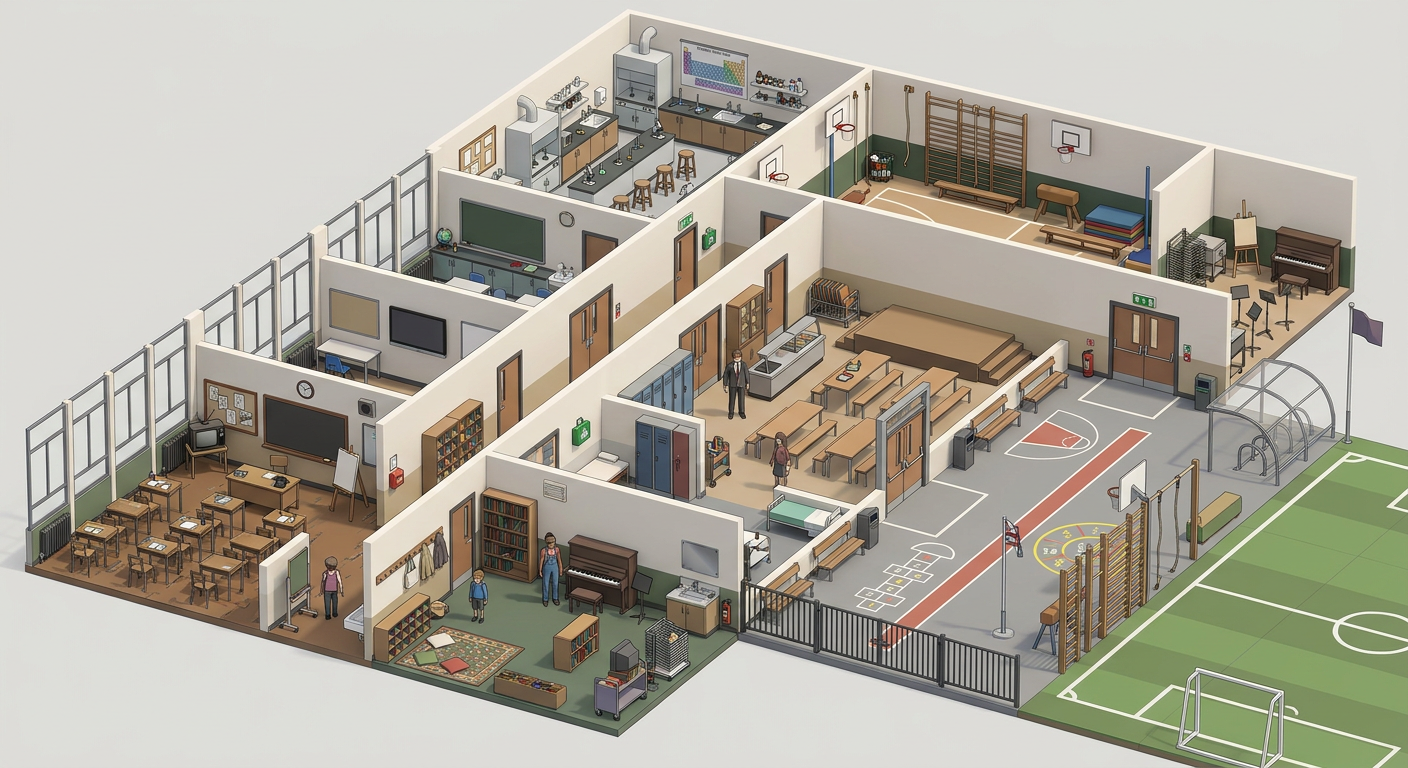 Part of School
59 matching parts, one palette and scale
Part of School
59 matching parts, one palette and scale
Use it
The fastest path in three.js: one import, zero loaders. The module returns a ready THREE.Group with named parts.
import { createAsset } from './school-wall-module-a09ccd.mjs';
scene.add(createAsset());
Print your logo on it (1 declared area — the same thing the sticker button up in the viewer does)
import * as asset from './school-wall-module-a09ccd.mjs';
import { decalsFromSvg } from 'https://polyfork.dev/cdn/decal.mjs';

const model = asset.createAsset();
scene.add(model);

// any SVG with flat colours (up to three, plus transparency); text as paths
const svg = await (await fetch('/your-logo.svg')).text();
await decalsFromSvg(model, asset.decals, svg);
Areas on this asset:
head-band (0.62m×0.17m)
— pass a filtered asset.decals to print on some only.
The bake runs in a worker; on a GLB mount read the areas from
https://polyfork.dev/cdn/school-wall-module-a09ccd-params.json and pass
them in place of asset.decals. Full reference:
llms.txt § Your own logo.
Full working example (a complete copy-paste HTML page)
<!doctype html>
<script type="importmap">
{ "imports": { "three": "https://unpkg.com/[email protected]/build/three.module.js",
               "three/addons/": "https://unpkg.com/[email protected]/examples/jsm/" } }
</script>
<script type="module">
import * as THREE from 'three';
import { OrbitControls } from 'three/addons/controls/OrbitControls.js';
import { createAsset } from './school-wall-module-a09ccd.mjs';

const scene = new THREE.Scene();
scene.background = new THREE.Color(0xf3ecdc);
// Far plane at 5000: terrain blocks are 64 to 256m across and a 100m
// frustum slices them.
const camera = new THREE.PerspectiveCamera(45, innerWidth / innerHeight, 0.1, 5000);
camera.position.set(3, 2, 4);
const renderer = new THREE.WebGLRenderer({ antialias: true });
renderer.setSize(innerWidth, innerHeight);
document.body.style.margin = 0;
document.body.appendChild(renderer.domElement);
scene.add(new THREE.HemisphereLight(0xffffff, 0x998877, 1.2));
const sun = new THREE.DirectionalLight(0xfff2e0, 2);
sun.position.set(4, 7, 5);
scene.add(sun);

scene.add(createAsset());
new OrbitControls(camera, renderer.domElement);
renderer.setAnimationLoop(() => renderer.render(scene, camera));
</script>
The standard route: load the GLB with GLTFLoader. The same file works in any glTF pipeline (Babylon.js, <model-viewer>, custom engines).
import { GLTFLoader } from 'three/addons/loaders/GLTFLoader.js';

new GLTFLoader().load('./school-wall-module-a09ccd.glb', (gltf) => {
  scene.add(gltf.scene); // real-world scale in meters, origin on the ground
});
Flat-shaded vertex colors on a single material: no textures to wire up, one draw call.
R3F takes any Object3D through <primitive>, and these modules
return a ready THREE.Group synchronously. No useGLTF, no loader, no
<Suspense>.
import { useMemo } from 'react';
import { Canvas } from '@react-three/fiber';
import { createAsset } from './school-wall-module-a09ccd.mjs';

function SchoolWallModule(props) {
  const obj = useMemo(() => createAsset(props), [JSON.stringify(props)]);
  return <primitive object={obj} />;
}

<Canvas camera={{ position: [3, 2, 4] }}>
  <hemisphereLight args={[0xffffff, 0x998877, 1.2]} />
  <directionalLight position={[4, 7, 5]} intensity={2} />
  <SchoolWallModule colorway="varnished-1975" />
</Canvas>
Every knob is a prop. colorway="varnished-1975" above is one of this
model's own parameters, so the component rebuilds when it changes, exactly like any other React
component. More on using these in R3F.
Self-animating models, and one draw call
A model that animates itself exposes
userData.tick(seconds). Drive it from R3F's own loop:
useFrame((state) => obj.userData.tick?.(state.clock.elapsedTime));
To merge a static set into a single draw call, import
mergeAssets from https://polyfork.dev/cdn/merge.mjs and pass the merged
group to one <primitive>.
- Buy the asset, then download the .glb from this page.
- Unity: drag the file into Assets (glTFast or UnityGLTF import it). Godot: drop it into the project, it imports natively. Blender: File → Import → glTF 2.0.
- Place it as-is: real-world scale in meters, origin at ground level.
- Materials arrive as vertex colors on one material: no texture files, nothing to relink.
Using Claude Code, Cursor or another coding agent? This site is built for them: agent-readable docs at /llms.txt and a JSON API at /api. Paste this prompt:
Your agent authenticates with an API key: create one under My assets after purchase, and it can fetch everything you own.
I own "School Wall Module" on polyfork.dev. My API key is in
the POLYFORK_KEY env var. Download it into my project and add it
to my three.js scene:

  metadata: GET https://polyfork.dev/api/assets/school-wall-module-a09ccd  files:    GET https://polyfork.dev/dl/school-wall-module-a09ccd.glb
            GET https://polyfork.dev/dl/school-wall-module-a09ccd.mjs
  (both with header  Authorization: Bearer $POLYFORK_KEY)

Site docs for agents: https://polyfork.dev/llms.txt
Every asset in this catalog shares one identical vertex-colored material, with no textures at all. That means whole scenes collapse into a single draw call: the same result Synty-style packs get from a texture atlas, without the atlas.
import { mergeAssets } from 'https://polyfork.dev/cdn/merge.mjs';

// position your assets first, then:
const { merged, dynamic } = mergeAssets([
  terrain, tree, rock,
  asset,
]);
scene.add(merged);                  // ONE draw call, static
dynamic.forEach(d => scene.add(d)); // rigged parts, still movable
Placing many copies of one model? Use THREE.InstancedMesh instead: one draw call and even less memory. The landing page's forest demo ends with exactly this merge.
Subscribe and download every asset on Polyfork, this one included, plus every new one: 301 new assets in the last 7 days.
or $149/year · what is included


One-time purchase, no renewal. Every kit and every asset, current and future.
 K
K


 C
C


 TJ
TJ RP
RP


 S
S


 W+55
W+5558 of 200 seats left
The whole school shell wall set as one module, 1m wide, 3m tall, 0.15m thick, with a piece knob (straight, inside corner, outside corner, end return, corridor spine run lined with door bays and an over-door transom) and an opening knob (solid bay, tall window. Part of the School kit.
- 608 triangles · 1 material
- 1 × 3 × 0.15 m, real-world scale
- GLB (65 KB) + drop-in ES module
- The viewer here is preview quality: the download is the full-detail file
- Commercial license: games, apps, client work, anything. No attribution required. (No reselling the raw assets, and no building a commercial asset generator from them.)
Need a different version of this? Request a variant.
Related assets

 Free
Free  Free
Free 
 Free
Free 