

Polyfork for Unity
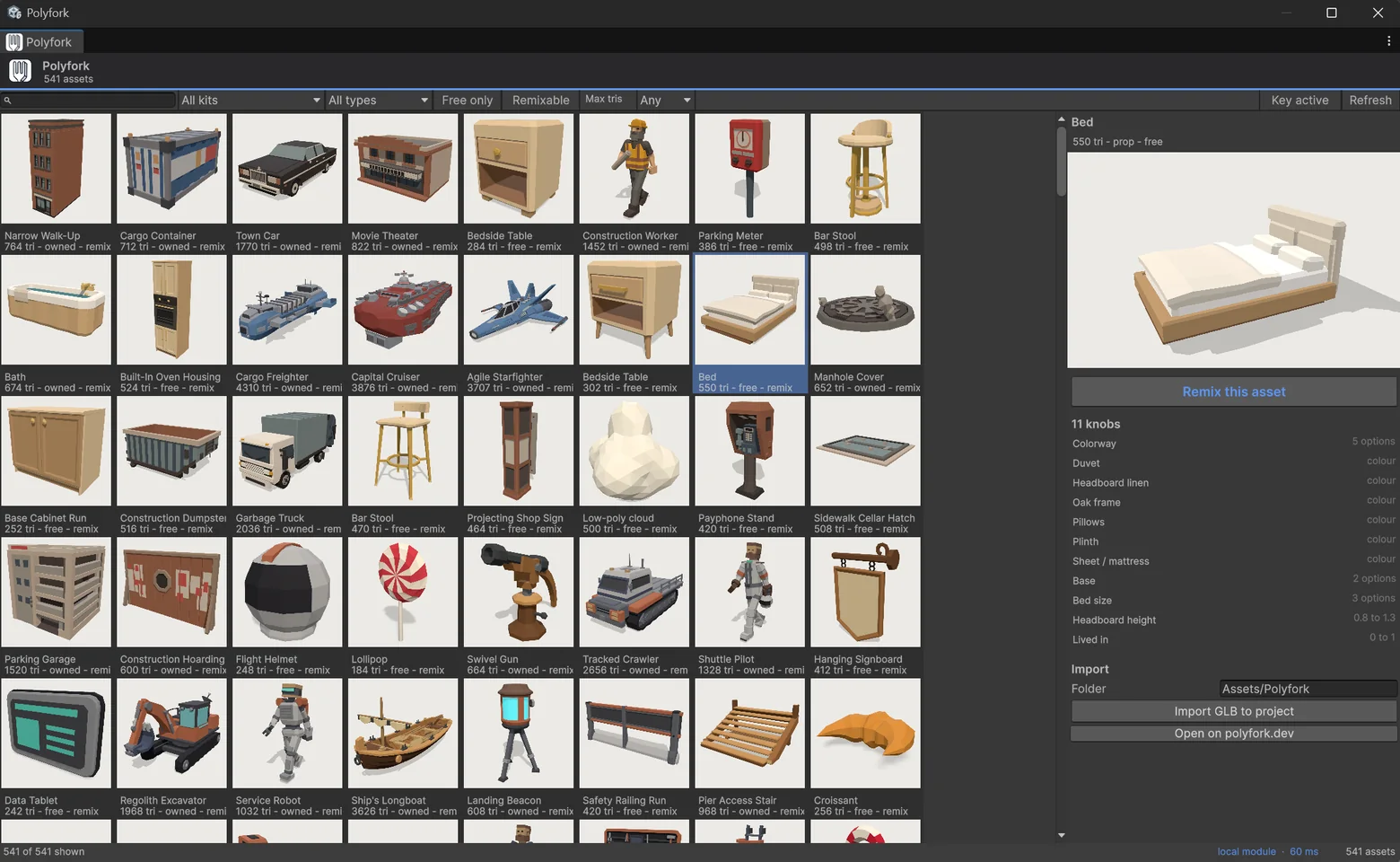
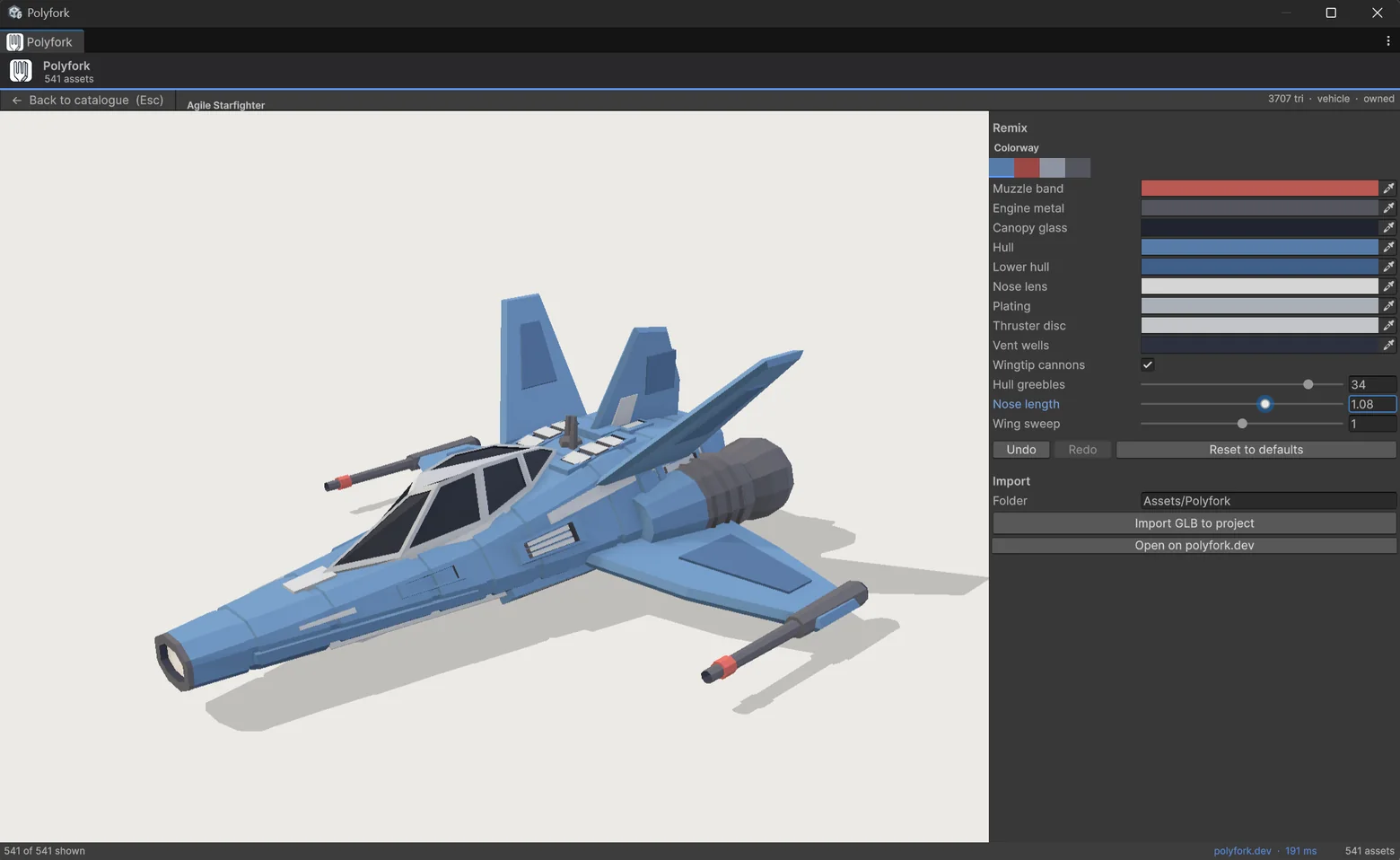
The Polyfork catalogue inside the editor. Browse it, turn each model's published parameters, and import a GLB with your colours baked into its vertices.

Install the Unity plugin
- In Unity, open Window > Package Manager.
- Click + and choose "Add package from git URL".
- Paste
https://github.com/lucas-martinic/polyfork-unity-connector.gitand press Add. - Open Tools > Polyfork > Browse Assets, pick a model, and press Import.


| Package | dev.polyfork.unity-connector |
|---|---|
| Unity | 6000.0 or newer. Built-in render pipeline and URP. |
| Dependencies | com.unity.cloud.gltfast and com.unity.nuget.newtonsoft-json, both from Unity's registry and resolved by Package Manager. |
| Licence | MIT, source on GitHub. The models carry their own terms; free ones allow commercial use with no attribution. |
| Install | A git URL, or a .unitypackage from the releases page. The Asset Store build is the same package minus the JavaScript engine. |
Use a model from script
The runtime API, for streaming a model into a running game rather than importing it in the editor. Taken from the Runtime API sample that ships with the package:
using Polyfork;

[RequireComponent(typeof(PolyforkCatalog))]
public sealed class Spawn : MonoBehaviour
{
    PolyforkCatalog _catalog;

    void Awake() => _catalog = GetComponent<PolyforkCatalog>();

    void OnEnable()
    {
        _catalog.Loaded += Ready;
        if (_catalog.Ready) Ready();
    }

    async void Ready()
    {
        // Any published model, by id or straight off the catalogue.
        var asset = _catalog.Next();
        var remixable = await PolyforkSpawner.SpawnAsync(_catalog, asset, transform);

        // Knobs come from the model's own schema, typed.
        remixable.SetRange("tallness", 1.15f);       // rebuilds the geometry
        remixable.SetColorway("colorway", "dusk");   // instant, applied locally
    }
}
In the editor the same knob change runs against the vendored engine, so it costs a few milliseconds and no request. Models you import need none of this: they are ordinary prefabs, with a component that keeps the knobs editable in the Inspector.
The package
dev.polyfork.unity-connector, MIT, Unity 6000.0 or newer. Two dependencies, both from Unity's own registry, resolved by Package Manager. Runtime and Editor are separate assemblies; the editor one never ships in a build.
Colour is a lookup, not a guess
A model carries all of its colour in COLOR_0, and the distinct vertex colours are exactly the default hexes its colour knobs declare. So recolouring is a slot remap done in the editor: instant, and exact rather than approximate. On import the mesh is re-exported, so the .glb keeps your colours outside Unity.
What lands in your project
A .glb and a prefab beside it, dropped into the open scene. Real-world metres, origin on the ground, one material, one draw call. The prefab keeps a PolyforkAssetLink component with the model id and your values, so the knobs are still editable a month later. Moving one replaces the meshes in place and leaves your transform, children, colliders and materials alone.
Rigged models
Characters import with an Animator, clips bound to their own skeleton, idle playing. Only rotation curves are bound, because position curves encode the source skeleton's proportions and would pull a differently sized rig apart. They rebuild on the server: the local bridge returns geometry, and a rigged module produces a skinned hierarchy it does not flatten.
Godot, Blender or three.js instead?
Every model is a plain GLB, which those import natively, and the catalogue is free to browse without any plugin. The free GLB models page covers scale conventions and what survives an export.
How each knob is applied
What decides the path is a knob's affects field, not its type: a knob marked affects: geometry is rebuilt whether it is a range, a choice or a toggle. Everything else is applied in the editor or not at all.
| Knob | Path | Cost |
|---|---|---|
affects: geometry | The model's own module runs in the editor | 20-140 ms |
color | Vertex-colour slot remap, in place | instant |
choice (colourway) | Expands a preset across every slot | instant |
| Anything else | Not drawn, rather than shown as a control that does nothing | n/a |
Where the geometry is rebuilt
Three paths, and the plugin ships all three because they answer different questions.
| Path | Cost | Needs |
|---|---|---|
| Local bake, the editor default | 20-140 ms | The JavaScript engine, editor-only, which spends no allowance and no network. It ships in the git-URL build. The Asset Store build has none, because three.js and PuerTS both require their notice to travel with the code and the store does not carry packages that require attribution. |
| Vertex morph | ~0.05 ms | Two bakes up front, measured per knob. Only knobs that preserve topology qualify, which has to be measured rather than assumed. |
| Server bake | ~120 ms | Network and quota. Used by player builds, rigged models, and anything the local module cannot build. |
What "low-poly" means here, in numbers
Every free model on this page, downloaded at once, is 34.6 MB. They are flat-shaded vertex colour on one material with no textures, which is where the size goes and why they draw in one call. Measured from the files being served right now, not rounded down for a landing page.
Some models to try it on
12 of 764 free models, newest first. All of them open in the plugin's gallery once it is installed. Browse the whole catalogue.


FAQ
Are the Unity models really free?
Yes. Every asset under 600 triangles is free forever, which is currently about half the catalogue, and free means the GLB and the ES module with no attribution and commercial use allowed. You do not need an account to browse or to hotlink, and the plugin works without one.
Does the plugin cost anything?
No. It is MIT licensed and open source. It talks to the public API, which answers without a key; an API key raises the hourly remix allowance and unlocks the paid catalogue.
Which Unity versions does it support?
Unity 6000.0 and newer. It depends on glTFast and Newtonsoft JSON, both resolved from Unity's own registry, and works with the built-in render pipeline and URP.
Can I use these models in a commercial game?
Yes, including the free ones, with no attribution required. The licence page has the exact terms.
Does it need any setup to remix inside the editor?
No. Install it and the sliders work. In the git-URL build a JavaScript engine runs each model's own program in the editor, so a slider costs a few milliseconds and no request; the Asset Store build rebuilds on polyfork.dev instead, at roughly 120 ms against an hourly allowance. Either engine is editor-only and cannot reach a player build, so a shipped game rebuilds through the API in both cases.
Do I have to use the plugin?
No. Every model downloads as a GLB you can drag into Assets, and Unity imports it directly. The plugin exists to remove the download-and-drag loop and to let you remix without leaving the editor.