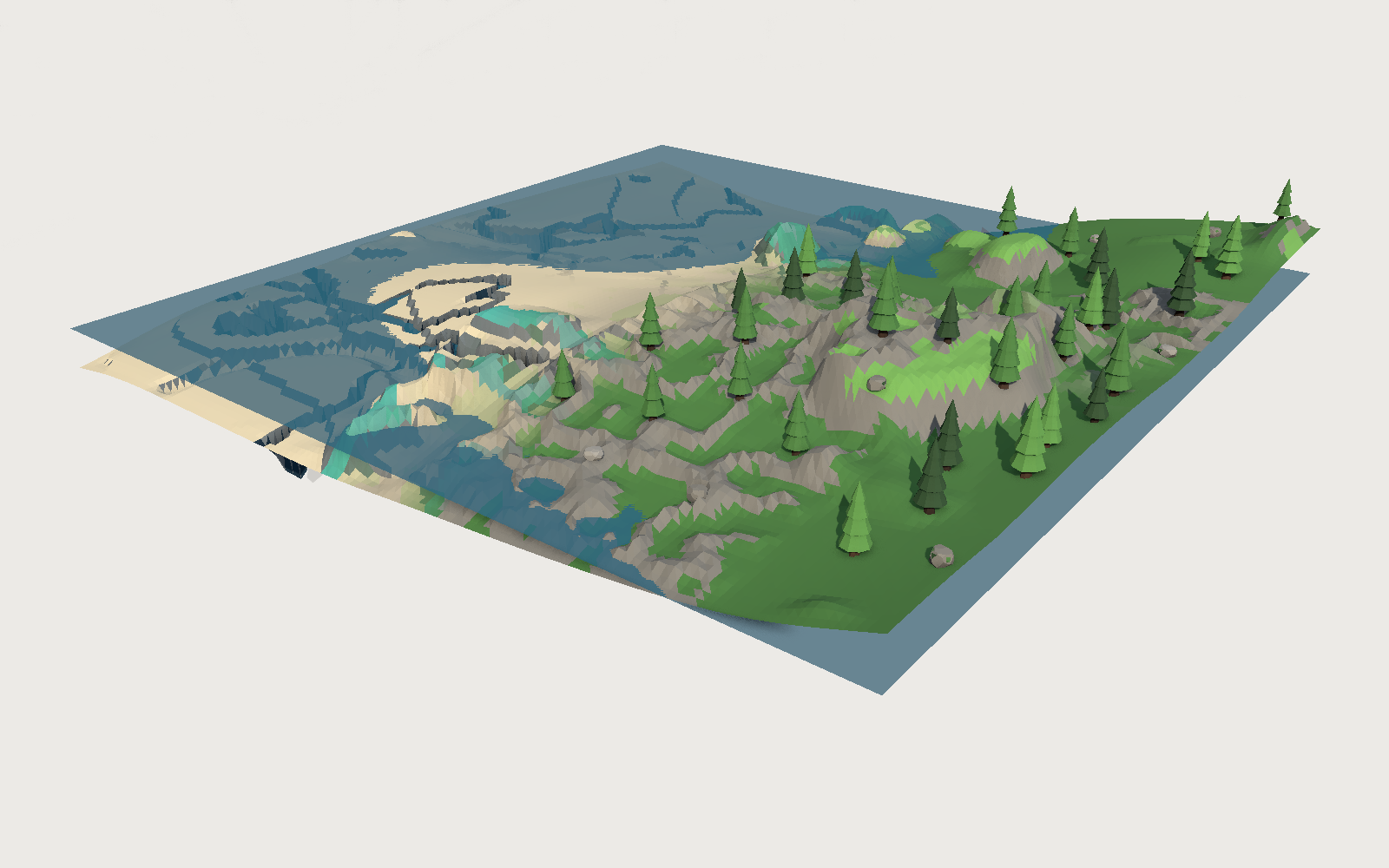
Legs that find the ground
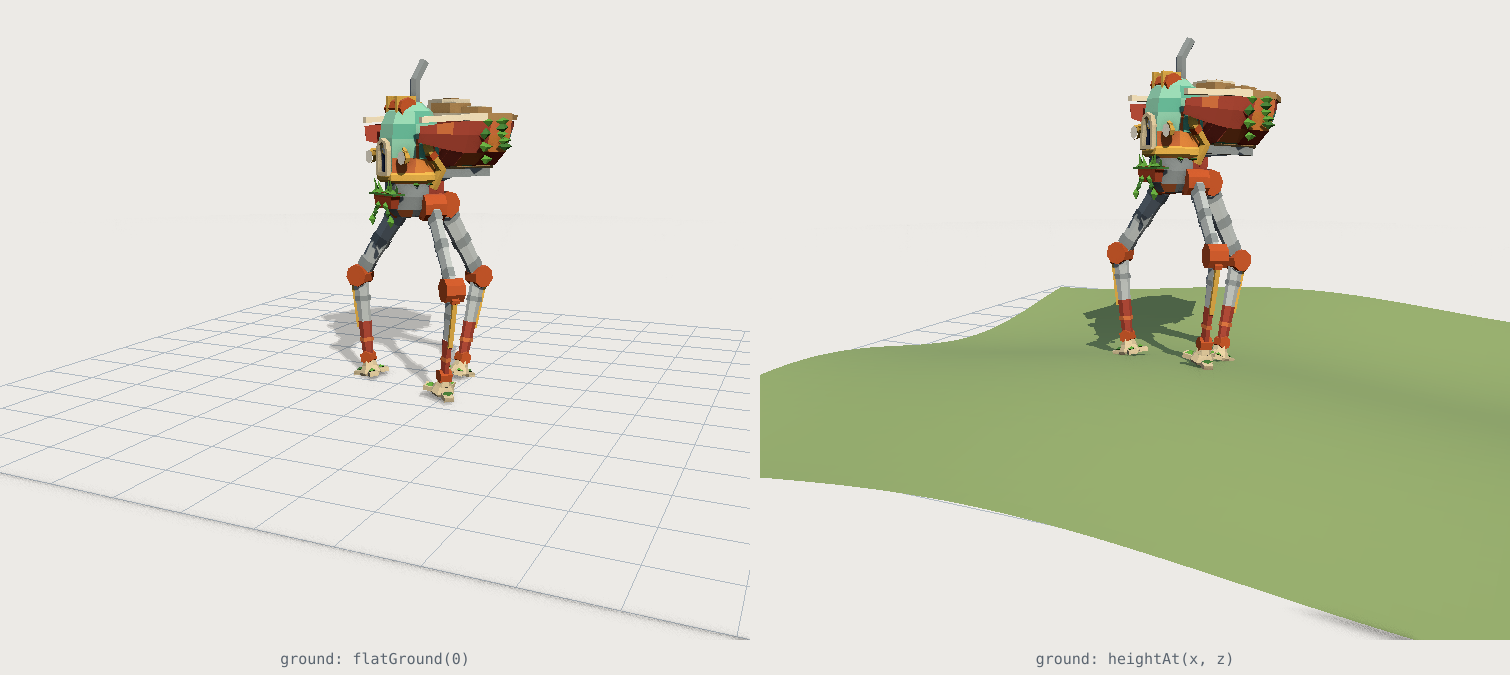
A rigged model usually gives you hinges and a walk cycle that assumes a flat floor. We shipped a solver instead, free at /cdn/walk.mjs, and it holds a planted foot to zero millimetres on a slope.

Buy a rigged machine from any 3D store and you get two things: named parts with pivots on the axles, and, if you are lucky, a walk cycle. Both are useful. Neither one walks on your ground.
A canned walk cycle is a fixed set of numbers, so it was authored for a floor that is perfectly flat and it will play exactly the same on a hillside. The feet go through the grass on the way up and hover on the way down. Worse, the cycle runs on a clock while your machine moves on a joystick, so the moment those two disagree the feet skate: planted-looking feet sliding backwards along the ground, which is the single clearest tell that something in a scene is fake.
We just shipped the other thing. 52 of our models now solve rather than pose, and the runtime that does it is free at /cdn/walk.mjs.
What inverse kinematics means here
Forward kinematics is what a rig gives you: set the hip to 20 degrees, set the knee to minus 40, and the foot ends up wherever that puts it. Inverse kinematics is the other direction. You say where the foot has to be, and the solver works out the joint angles that put it there.
three.js does ship an IK solver, CCDIKSolver in the addons, and it is the right tool for a skinned character: an iterative solver over a bone chain, aimed at arms and spines. Our machines are not skinned. They are named groups with pivots already on the axles, which is much cheaper to draw and much easier to solve, because a leg with a hip and a knee is a two-link chain in a plane and that has a closed-form answer. No iteration, no convergence, one law of cosines per leg per frame.
That difference is the reason this is practical on a phone. A tripod walker costs three cosine solves a frame, and the expensive part is not the maths at all.
Four things that make a foot stay put
1. The phase comes from distance, not time
This is the decision everything else rests on. Our gait function takes metres travelled, never seconds:
gait.poseAt(distanceTravelled);
A foot is planted for a fixed share of each stride. If the phase advances with a clock while the body advances with a speed, then any disagreement between them, a dropped frame, a slow-motion effect, a physics step, comes out as the foot sliding. If the phase advances with the body, it cannot: the machine covers a metre and the gait advances by exactly one metre's worth of step.
It has a second benefit we did not expect to need so quickly. poseAt(d) called twice with the same d gives the same pose, so the walk survives a scrub bar, an offline render and a recorder that dilates time. Our own kit films record at roughly a fifth of real speed and seek absolutely; an integrated delta gait cannot be recorded that way at all.
2. Find the surface before you put the foot there
A foothold needs a height, and where that height comes from depends on what your ground is:
import { walker, raycastGround, terrainGround, flatGround } from 'https://polyfork.dev/cdn/walk.mjs';

const gait = walker(model, { ground: raycastGround([yourTerrainMesh]) });
If your ground is an analytic height field, hand it over directly with terrainGround and the query is exact and free: it answers between the triangles rather than on them. Our own terrain generators expose heightAt(x, z) for exactly this. Otherwise raycastGround casts a ray down and takes the first hit.
The cost is not what people expect, and it is the direct consequence of the previous section. A foothold is computed once per foot per step and then held, because it is a value keyed to the stride rather than to the frame. A three-legged walker at a normal pace fires about six rays a second no matter how fast you are rendering. A per-frame IK solver against a per-frame raycast is what makes this feature expensive elsewhere; distance-keyed footholds delete that cost.
3. The body does most of the work
The surprising part of building this: the feet were the easy half. What sells a machine standing on rough ground is the body, and it does three things.
It rides at the height of the feet that are carrying it. It tilts onto the plane through those feet, damped, because a chassis on suspension does not take all of the ground's angle. And it squats when a leg cannot reach, which every walking animal does and no fixed ride height can.
That last one caught us out. The cargo walker is built standing at its full height, and its hip-to-foot distance at rest is 6.56 m against a leg that measures 6.61 m. There is 50 mm of extension in the entire machine. A straight leg cannot reach further out, so it cannot put a foot down ahead of itself, and a gait built on that rest height either skates or stretches through the floor. The fix is the one a person uses to pick something up: bend your knees.
4. Honour the model's own limits
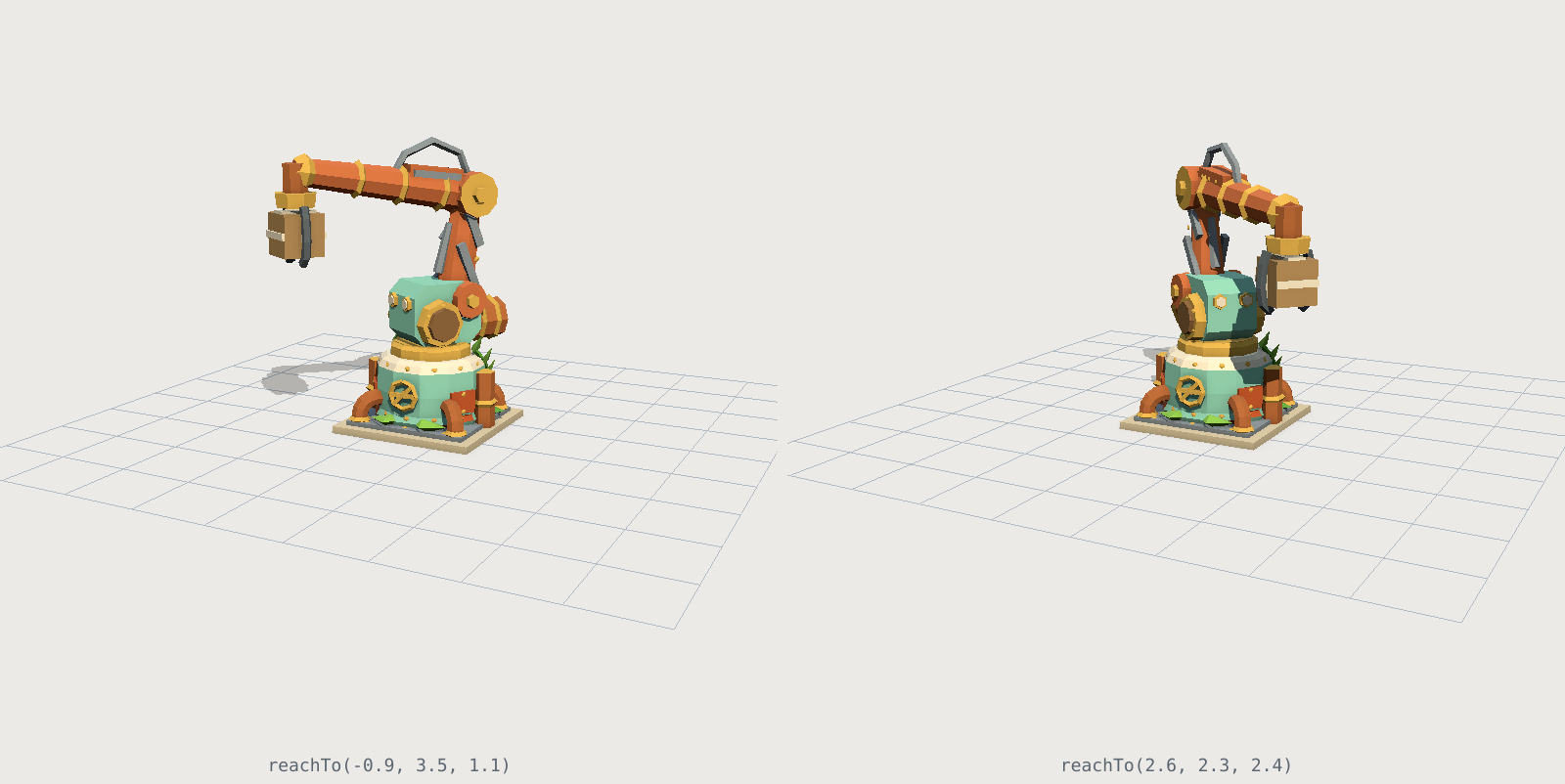
Every asset declares what its joints can do, in degrees, and the solver clamps to that rather than reaching past it. A machine should never draw a pose it says it cannot make. The visible consequence is that the gantry arm's tip stops 0.74 m short of where you drag it, because that arm declares 30 degrees of lower boom and 19 of upper, and that is the truth about it.
Turning is where this gets interesting. Rotating the body about a planted foot drags that foot sideways, and the only axis that can absorb the drag is the leg's own yaw. So a walker can only turn as fast as it walks, and only as far as its planted legs have yaw left. Our first version let the viewer swing a machine at 162 degrees a second, about five times what its legs could follow, and every planted foot skidded 75 mm a frame through the turn while every other number in the gait stayed perfect. The runtime now reports its own live headroom and the machine comes about in bursts tied to its steps, which is how a legged machine actually turns.
What we measured
tools/walk-check.mjs walks each model over level ground, a 12% slope and a 1.5 m ripple, and measures where the foot vertex actually ends up by forward kinematics, never where the solver was aiming. A solver grading its own homework reports zero skate on a leg that cannot move at all.
| model | legs | worst planted-foot drift |
|---|---|---|
| Cargo walker | 3, hip + knee + yaw mount | 0 mm |
| Companion bot | 2, one axis each | 4 mm |
| Forest rabbit | 4, one axis each | 12 mm |
| Multi-legged tiller | 8, one axis each | 70 mm |
The pattern is the mechanism, not the effort. A leg with a hip, a knee and a yaw mount has enough axes to hold a foot exactly still while the body passes over it. A leg with one hinge puts its foot on a fixed-radius arc, so it lands a few centimetres off wherever the ground is not exactly where the arc goes, and no amount of arithmetic changes that.
How to use it
three.js
Three lines, no build step, and it works on the ES module or on the GLB, because it binds by node name and the GLB carries the same names.
import { walker, raycastGround } from 'https://polyfork.dev/cdn/walk.mjs';

const machine = createAsset();          // or gltf.scene
scene.add(machine);
const gait = walker(machine, { ground: raycastGround([ground]) });

// in your render loop, after you have moved it yourself:
distance += speed * delta;
machine.position.z = distance;
machine.rotation.y = heading;
gait.poseAt(distance);
You keep the steering. It owns the legs, the ride height and the body tilt. A rooted arm is the same idea from the other end:
import { arm } from 'https://polyfork.dev/cdn/walk.mjs';

const boom = arm(machine);
boom.reachTo(target);      // returns how far short it fell, in metres
Any other engine
The measured numbers are public. GET /api/assets/{id} returns a gait or arm block: leg names, segment lengths, foot offsets in the joint's own frame, phase order, step length, duty factor, reach. Everything above is about thirty lines against that data, in C# or GDScript or anything else.
Find them with /api/assets?ik=1, or ik=legs and ik=arm to narrow it. Agents get the same through our MCP server: search_assets(ik: "1") and the ik topic in get_help.
The baked clip
Legged GLBs also carry a flat-ground Walk clip, sampled from the same solver, so they animate in Unity, Godot or Blender with no code at all. It is honest about what it is: a fixed set of numbers cannot find your ground, which is the entire reason the runtime exists. Use the clip for a machine crossing a floor, and the solver for one crossing a field.
Try it in the browser
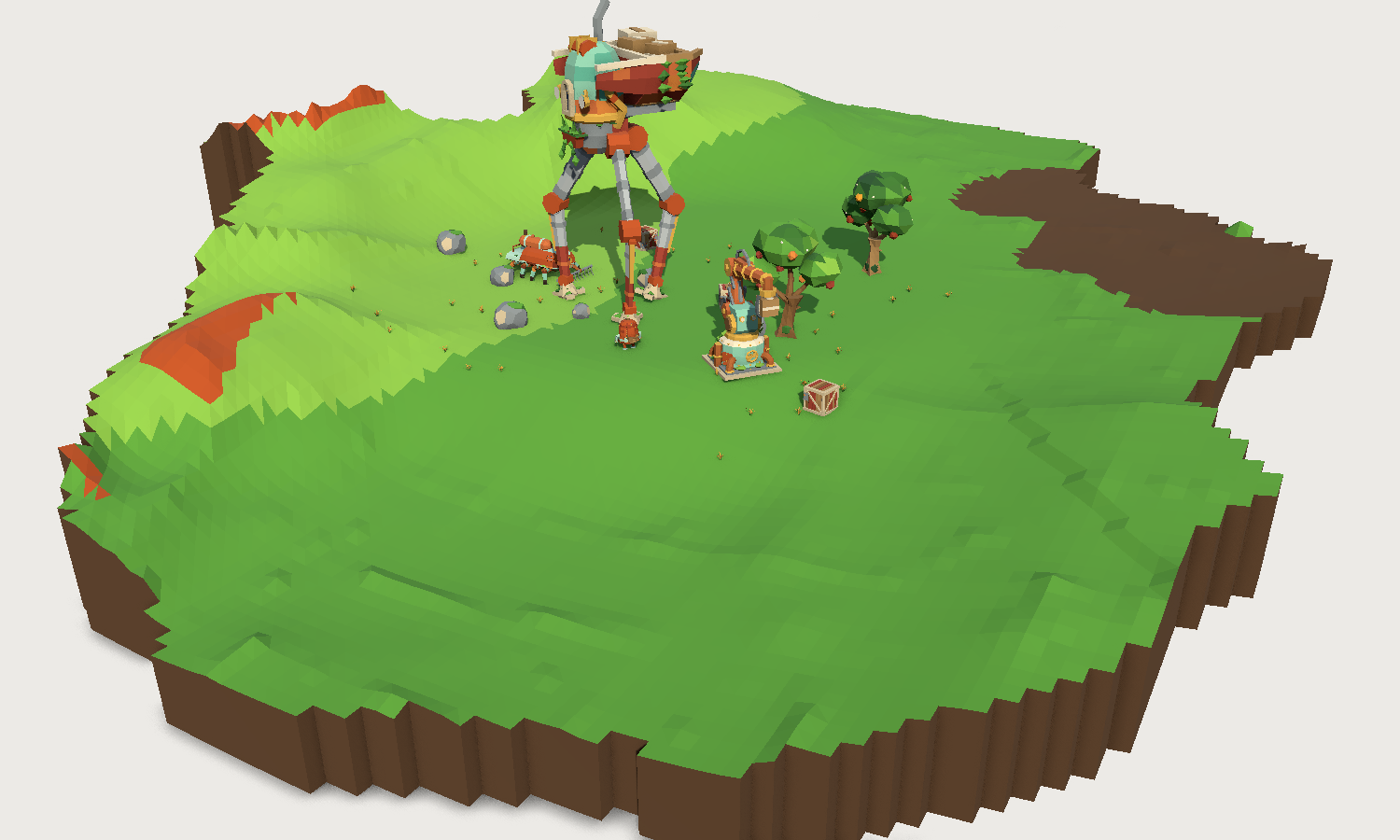
Every asset page with legs or an arm is now draggable. Grab the machine and lead it around: it walks at the pace its own size implies, its feet land on the ground under them, and it arcs into turns instead of pivoting. Shift-drag up and down and it squats on its planted feet, knees folding, which is the clearest possible demonstration that these legs are solved rather than played back. There is a rolling ground button that swaps the studio floor for hills.
The walker on the cargo walker page is the paid preview mesh, driven by the same free runtime you would use.
Frequently asked questions
Does three.js have inverse kinematics built in?
Yes, CCDIKSolver in three/addons, and it is the right choice for a skinned character: an iterative solver over a bone chain. It expects a SkinnedMesh with a skeleton. Machines built as named pivot groups are a simpler problem, a two-link chain in a plane, which has a closed-form solution and needs no iteration.
Do I need bones or a skinned mesh for this?
No, and that is the point. A hip group containing a knee group, with the pivots on the axles, is enough. It costs less to draw than a skinned mesh and it is exactly what our machines already ship as.
Can I use walk.mjs with the models I already have?
It binds by node name, so a model laid out the same way (a yaw mount containing a hip containing a knee, with the foot geometry at the end) will work. The file is free to fetch, and it ships inside the download of every asset that has legs or an arm.
How do I make a machine walk on my own terrain?
Pass a ground function. terrainGround(obj) if you have an analytic height field, raycastGround([mesh]) for arbitrary geometry, flatGround(y) for a floor. The solver asks it once per foot per step, not once per frame.
Will this work in Unity or Godot?
Not the JavaScript, but the numbers behind it are published in the asset JSON under gait or arm, and they were measured off the model by the same code that drives it. That is enough to write the same solver natively. The GLBs also carry a baked flat-ground walk clip that needs no code.
What does it cost per frame?
One closed-form solve per leg, plus a plane fit through the feet on the ground. The ground queries are keyed to the stride rather than the frame: about six a second for a three-legged machine, whatever your frame rate.